Sketch to 3D model AI turns a hand-drawn or digital jewelry sketch into a 3D model. What decides whether that model is useful is the geometry type it comes out as. A triangle mesh renders well but is hard to edit precisely. NURBS surfaces and solids open in Rhino as geometry a jeweler can trim, fillet, resize and set stones in. This guide explains the difference, shows how to check what a tool actually gave you, and covers which sketches convert most reliably.
What does sketch to 3D model AI do with your drawing?
The details differ between tools, but the outline is similar. The model reads your sketch as a silhouette plus interior lines, infers a three-dimensional form from it, then builds geometry and exports it in a file format your other software can open.
The inference step is where your drawing matters. A shank drawn as an ellipse suggests a band, a cluster of petals suggests overlapping curved plates, and a circle with facet lines suggests a stone. That reading is statistical, so an ambiguous sketch leaves the model guessing.
The last step decides what kind of file you get. Most general-purpose generators build a mesh, because meshes are what their underlying models produce. A smaller number of tools build NURBS, which is the geometry jewelry CAD software works in.
Mesh vs NURBS vs parametric CAD: what’s the difference?
A model that looks perfect in a viewport can still be hard to work with. The difference is in how the surfaces are described.
Mesh: good for renders, hard to edit precisely
A mesh describes a surface with thousands of small flat triangles or quads. It has no true curvature, only an approximation of it. A clean, closed (watertight) mesh can be 3D printed and cast, and STL itself is a mesh format, so meshes are not the problem at the printing stage.
The problem comes when the design needs to change. Resizing a shank, thickening a prong or swapping a stone seat on a dense mesh means sculpting triangles or rebuilding that area by hand. Generic sketch-to-3D tools usually fuse the whole piece into one mesh, so there is no separate prong or seat to select.
NURBS: what Rhino and MatrixGold work in
NURBS (Non-Uniform Rational B-Splines) describe curves and surfaces mathematically. McNeel, the maker of Rhino, explains on its What are NURBS? page that a NURBS description needs far less information than a faceted approximation of the same shape. For a jeweler, the practical point is precision: you can trim, fillet, offset a shank and set a stone seat to exact dimensions.
NURBS is still not the end of the line. When the piece goes to a printer, you export an STL from it. The difference is that you export from editable geometry, so a late change does not mean starting over.
SubD: smooth organic forms, converted to NURBS
Some jewelry is hard to describe with clean NURBS patches: flowing petals, leaves, sculpted shanks, organic bezels. Rhino has a third surface type for these, SubD (subdivision surfaces), which models smooth freeform shapes from a control cage. McNeel’s ToNURBS command converts SubD objects into NURBS surfaces.
FormaNova uses the same route for complex organic shapes: it can build the form in SubD and convert it to NURBS. Sculptural pieces arrive as NURBS like everything else, rather than as a mesh.
Parametric CAD: a history you can edit
Parametric models record how they were built, so changing one value (a prong diameter, a ring size) updates everything that depends on it. MatrixGold’s builders work this way. Most AI output today is direct geometry rather than a parametric history, so you edit by working on the objects themselves.
| Output type | Renders | Prints and casts | Precise edits in Rhino |
|---|---|---|---|
| Mesh | Yes | Yes, once watertight and checked | Limited: sculpt or rebuild |
| NURBS | Yes | Yes, via STL export | Yes, on the surfaces and solids |
| Parametric | Yes | Yes, via STL export | Yes, by changing parameters |
How do you check what a sketch-to-3D tool gave you?
A .3dm extension alone does not prove the file contains NURBS. Rhino files can hold meshes too, and some tools wrap a mesh in a Rhino document. Three checks take a minute in Rhino 8:
- Run
Whaton a few objects. McNeel’s What command reports each object’s type. NURBS geometry shows up as a surface, polysurface or closed solid. A mesh says so, along with its vertex and face count. - Run
SelMesh. If it selects the whole piece, you have a mesh in a Rhino file. - Look at the structure. Open the Layers panel and click through a few objects. Separate, named parts (shank, prongs, seats, stones) on sensible layers save hours compared with a single fused object.
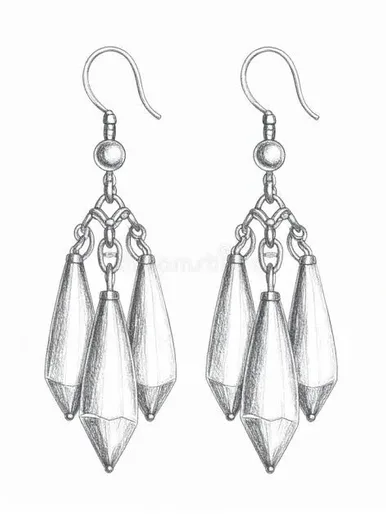
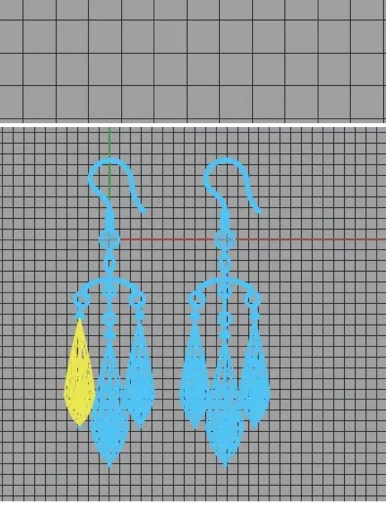
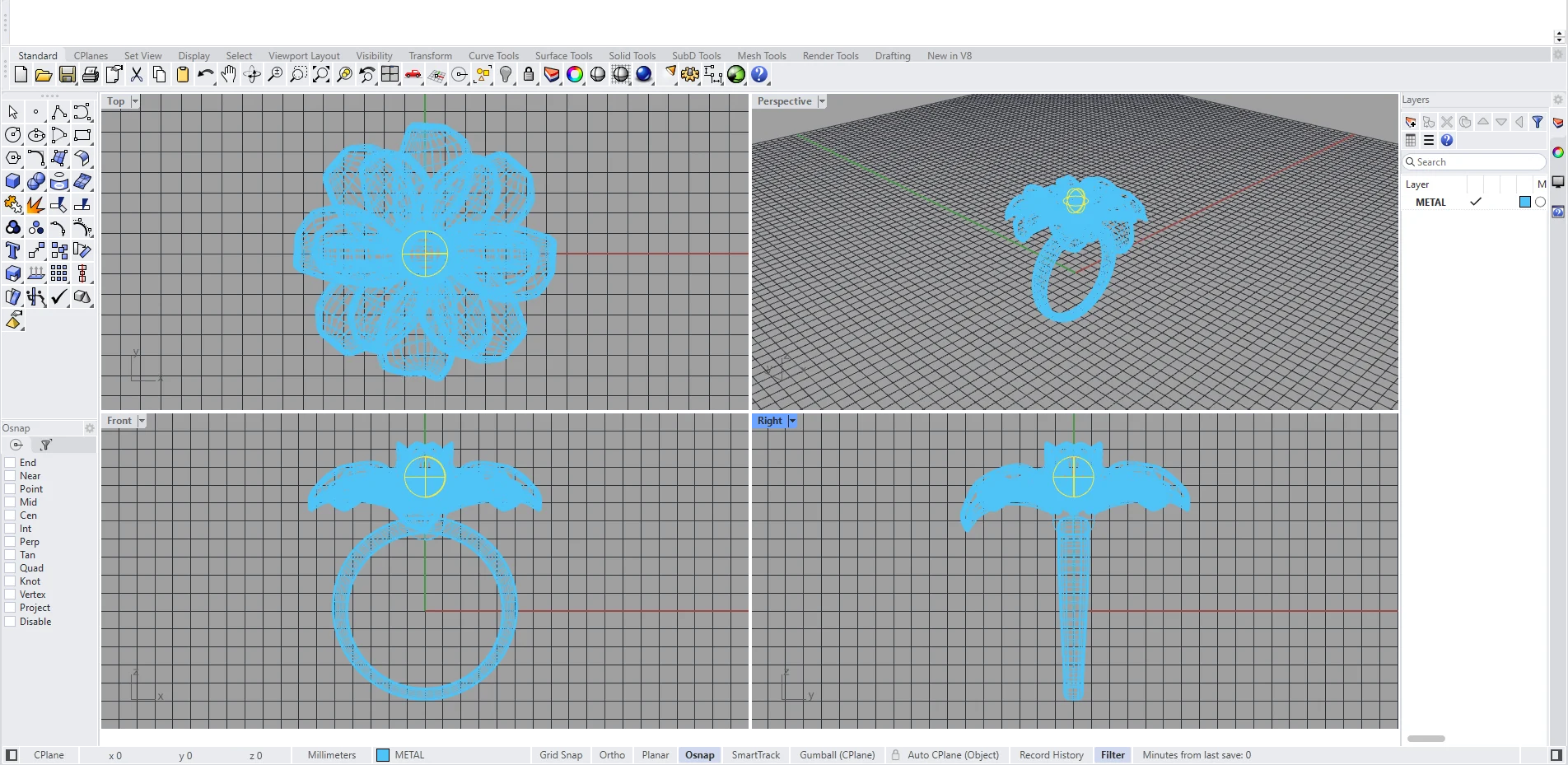
We ran the same check on the four sample files on our AI jewelry CAD page: a signet ring, a flower ring, dragonfly earrings and chandelier earrings. Every one of their 1,027 objects is NURBS (a Brep, in Rhino’s terms), and all but two are closed solids. The files are in millimeters, with parts named down to the halo_seat and halo_gem of each of the signet ring’s 36 halo stones.
Which sketch styles convert most reliably?
The less a generator has to guess, the closer the model lands to your intent. Four things help most.
Clean lines. A clear outline of the shank, prongs, stone seats and decorative elements gives an unambiguous silhouette. Heavy crosshatching or smudged graphite gives the model tone to interpret, and tone can read as surface rather than shadow.
More than one view. A single front view leaves the depth of a setting or the profile of a shank to inference. A top view and a side view settle it. FormaNova accepts several reference images per piece; our signet ring example was built from four views.
Known measurements. Ring size, stone dimensions, pendant height or drop length steer the model toward real proportions. Measurements still need verifying in the finished file before production.
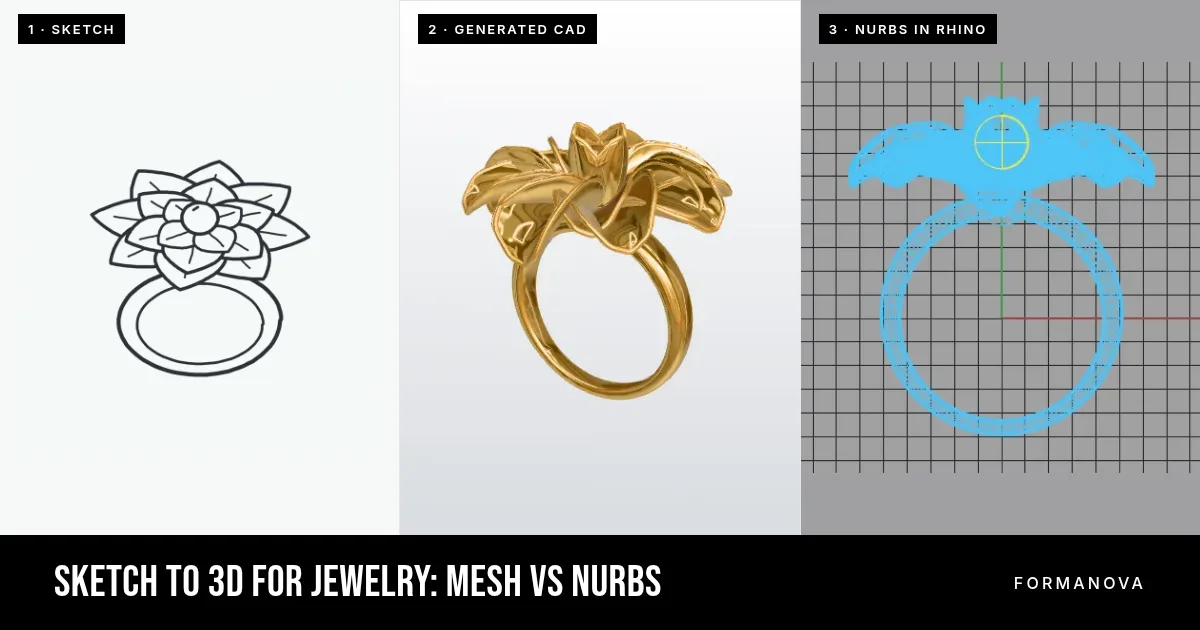
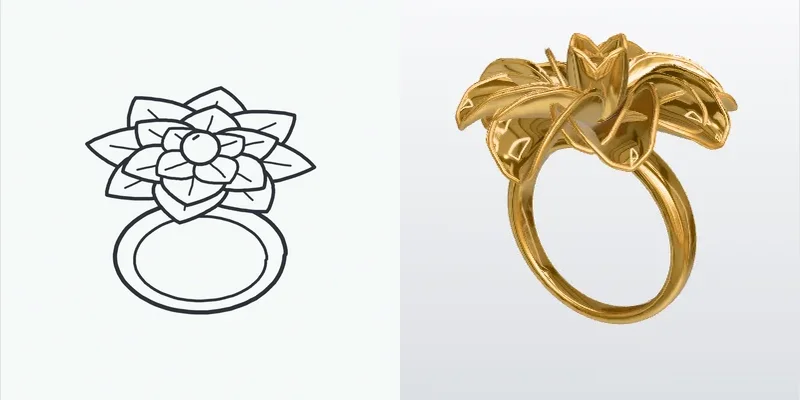
A rough drawing is fine. Polish matters less than clarity. One of our examples started as a flower-ring doodle drawn with a finger on a phone. FormaNova built a NURBS ring from it: a shank, a center bead on its post, and 18 petals in three tiers, each with its own rim wire.
Have a sketch or a reference image of your own? Create your own CAD →
Can free sketch-to-3D AI tools handle professional jewelry work?
For concepts, yes. For production, mostly not without rework.
Free tiers typically output a mesh of tens of thousands of triangles, fused into one object, with no stone seats as separate parts and no control over wall thickness. You can render it, and with repair you can print it. But fixing a prong or resizing the shank means importing it into Rhino 8 and remodeling the problem areas by hand, which takes back much of the time the AI saved.
The same is true of paid jewelry tools. Other AI jewelry CAD services deliver STL meshes, which suit printing but not precise editing, or use Rhino MCP, a connector that lets a chatbot operate Rhino, to build rudimentary NURBS from text prompts. Based on our competitor analysis, FormaNova is the only jewelry AI service that generates NURBS CAD directly from images and sketches.
A free mesh is good enough when the geometry never reaches a casting bench: a concept review with a client, a mood-board render or social content where accuracy is invisible. If you only need finished photos of a piece, a photography tool is the better fit; our guide to AI jewelry photography tools compares them.
How does sketch-to-3D differ from text-to-3D and image-to-3D?
The difference is how much of the design you control.
- Text-to-3D starts from words, so proportions, prong placement and stone seats are the model’s interpretation. It is useful for exploring ideas. Our text-to-CAD ring walkthrough shows that workflow.
- Image-to-3D anchors the geometry to a photo or render of a finished piece, which pins down the look but not hidden details like the underside of a setting.
- Sketch-to-3D gives you the most control, because your lines define the profile and proportions directly.
FormaNova takes all three. CAD from image covers sketches, doodles, photos and renders, CAD from idea starts from a text description, and CAD from inspiration takes one to four pictures of anything, shows you a jewelry design for approval, then builds the CAD. Each produces the same NURBS output, described in our AI jewelry CAD launch post.
What can you do with the model after generation: render, 3D print, or edit in CAD?
Render and preview
Every generator gives you something renderable, so customer previews and marketing images are the lowest bar. Look closely at prong tips and the inside of bezels, where reflections show geometry problems first. FormaNova’s Product shot from CAD turns a .3dm, STL, STEP or other model file into catalog photos, so a design can be shown before it is cast.
3D print and cast
An STL is only as good as the geometry under it. Thin sections, unsupported stone seats and walls below your caster’s minimum will fail in production whatever format they came from. Measure the thinnest points with Rhino’s Distance command and check your caster’s minimum wall thickness before sending a file to print.
Edit in Rhino or MatrixGold
This is where output type matters most. With a mesh, resizing a shank or adjusting a prong means rebuilding. With NURBS, it means editing the relevant component, which is where most of a CAD designer’s time is saved.
How does FormaNova turn a jewelry sketch into CAD?
Upload a sketch, a doodle or reference images on CAD from image, and add measurements if you have them. FormaNova builds the piece as NURBS surfaces and solids in a native Rhino .3dm, organized into named components (shank, prongs, stone seats, gemstones, bails, links) on METAL and GEMS layers, in millimeters. Complex organic forms can be built in SubD and converted to NURBS, so the output stays NURBS however sculptural the design. Downloads also include STEP for CAD interchange, STL for printing and casting preparation, and GLB for viewing.
Most pieces take 30 to 40 minutes. You can ask for changes in plain language, and each change is kept as a new version instead of overwriting the last. A CAD piece costs 140 credits, so the $14 Essential pack covers one; see pricing for larger packs.
Wall thickness, stone settings and casting requirements inform how FormaNova builds each piece. As with any CAD file entering a workshop, a jeweler or CAD designer checks dimensions and settings before production, and with NURBS that check means adjusting surfaces rather than rebuilding the piece. The fastest way to judge it is to try a design you have already modeled and compare the two files side by side.
FAQ
Is there a free sketch to 3D model AI that outputs NURBS?
Not that we know of. Free online tools almost always output triangle meshes, which render well but cannot be trimmed, filleted or resized like NURBS in Rhino. Other jewelry AI CAD tools deliver STL meshes too, or use Rhino MCP, a connector that lets a chatbot operate Rhino, to build rudimentary NURBS from text prompts. Based on our competitor analysis, FormaNova is the only jewelry AI service that generates NURBS CAD directly from images and sketches, and it is a paid service. If a tool claims NURBS output, open the file in Rhino and run the What command on a few objects before trusting it with a production job.
Can I convert a hand-drawn sketch on paper, or does it need to be digital?
A photo or scan of a paper sketch works, as long as the lines are clear. Photograph it in even light, square it up so the perspective is straight, and crop out the rest of the page. A rough doodle drawn with a finger on a phone works too, as the flower ring above shows.
Will the generated model be castable as it is?
Treat any generated model, mesh or NURBS, as CAD that a jeweler reviews before production. FormaNova builds wall thickness, stone settings and casting requirements into its models, and a bench jeweler or CAD designer still checks dimensions and settings, as they would with any CAD file entering their workshop. With NURBS, that check is a matter of adjusting surfaces, not rebuilding the piece.
How accurate is AI at generating prongs and stone seats from a sketch?
Close on proportion, and better when you give it more to work from. A clean sketch from more than one angle, plus stone sizes in millimeters, gets prongs and seats near your intent. Exact tolerances still need checking against the stones you will actually set, which in a NURBS file means measuring and adjusting the seat objects in Rhino.
Do I still need Rhino if I use a sketch-to-3D AI tool?
For production work, yes. Rhino or MatrixGold is where you measure the model, adjust components, check wall thickness and export the STL for printing. The AI removes most of the initial modeling, so the CAD step becomes inspecting and refining rather than building from scratch.