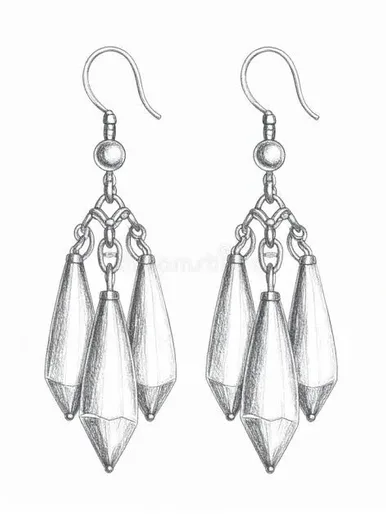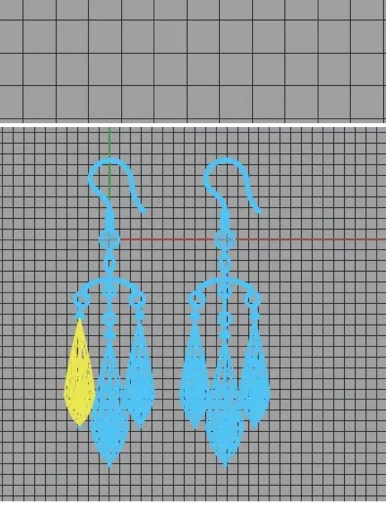
Every jeweler knows the request. A customer walks in, or writes in, with a photo on their phone: a ring they saw online, a pendant from a family album, a pair of earrings they lost. They want it made.
Before anything can be cast, that photo has to become a CAD model. Usually that means a CAD designer sitting down in Rhino or MatrixGold and building the piece by hand from the picture.
Short answer: to turn a jewelry image into CAD, collect sharp photos of the piece from several angles and one known measurement, then model it in Rhino, by hand or with FormaNova. FormaNova builds an editable NURBS .3dm from the photos in a single run, with a casting-ready STL for your caster, a tech spec sheet and the metal weight.
This guide covers how image to CAD is usually done, which photos to ask the customer for, and what FormaNova returns.
Why “make it from this photo” is such a common request
Customers rarely arrive with a technical drawing. They arrive with what they have:
- A screenshot from Instagram or Pinterest
- A photo of a piece they owned and lost
- A family piece they want remade, resized or matched
- A picture of something close to what they want, with a change or two
For a custom jeweler, a bench jeweler or a freelance CAD designer, turning that picture into a model is everyday work. It is also slow work, because a photo shows only some of the piece.
One note before you start: if the photo shows another brand’s design, make sure you have the right to reproduce it. A customer’s own piece, a family heirloom or a design of your own is safe ground.
How image to CAD is usually done today
A CAD designer working from a photo does a lot of reading between the lines:
- Reads the proportions. With no dimensions, the designer judges the band width, the head height and the stone sizes from the picture and from experience.
- Infers the hidden sides. A front photo says little about the gallery, the underside of the head or the back of a bail.
- Picks the stones and settings. Cut, size and setting style are read from reflections and shadows.
- Models the piece. Shank, head, prongs, seats and stones are built one by one, usually in NURBS, so the model can be edited later.
- Prepares it for the caster. The stones come out, the seats are cut, the wall thickness is checked and a metal-only file goes to the caster.
Each step is skilled work, and the first three depend on how good the photos are. That is why the most useful thing you can do happens before modeling starts.
Which photos to ask the customer for
The quality of the CAD follows the quality of the references. When a customer brings a photo, ask for these if they can get them:
- Sharp photos. In focus, well lit, at the highest resolution they have. A crop of a crop loses the prongs first.
- Several angles of the same piece. Front, side, top and underneath. Each view answers questions the others cannot.
- One real piece. Photos of the same physical piece, or views of one consistent design.
- One known measurement. The ring size, a stone size in millimeters, a pendant height, or the piece next to a ruler or a coin. One number puts everything else to scale.
- The original file. A photo forwarded through a chat app is often compressed. Ask for the original.
If the customer has only one photo, start with it. Just expect the hidden sides to be interpreted rather than copied.
A warning about AI-generated reference images
More and more customers arrive with images made in general-purpose AI image generators. They look sharp and convincing, but they rarely show one consistent piece. The side view describes a different jewel from the front: a stone moves, a prong disappears, the shank changes shape.
A CAD model is one physical object, so it has to choose. No modeler, human or AI, can make a ring that matches two different rings. If the references were generated, check that every view shows the same piece before you start.
How FormaNova turns jewelry images into CAD
FormaNova does the modeling step for you. Upload the customer’s photos to CAD from Image, add any sizes you have in millimeters, and FormaNova builds the whole piece in a single run. Most pieces take 30 to 40 minutes.
Based on our competitor analysis, FormaNova is the only jewelry AI service that generates NURBS CAD directly from images. Other jewelry AI CAD tools either deliver STL meshes or use Rhino MCP, a connector that lets a chatbot operate Rhino, to build rudimentary NURBS from text prompts. The .3dm is real NURBS surfaces and closed solids, not a triangle mesh saved inside a Rhino file, so you can turn on control points and edit any surface the way you would in your own model.
Then ask for changes in plain words, such as “make the band 0.3 mm thinner” or “turn the pear stones so their points face the center”. Each change is a new version, and every version is kept.
What you get back
Every FormaNova CAD result comes with everything the next person in the chain needs:
- The editable NURBS .3dm for Rhino and MatrixGold, with every prong, seat, shank, bail and stone as a separate named part, in millimeters, with metal and stones on separate layers
- A casting-ready STL for your caster: metal only, one closed, watertight solid with the stones removed and every stone seat cut into the metal, not left empty where a stone was
- A full STL with the stones in, plus STL per part
- STEP, for SolidWorks, Fusion 360 and any CAD that reads it
- GLB, for renders and client previews
- A tech spec sheet (PDF) to send to your manufacturer
- The metal weight in grams and DWT for each metal, such as 14K yellow gold, with an after-polish estimate (metal only; stones are not included)
Before delivery, every FormaNova CAD model is checked for zero overlap between stone and metal, for watertightness and for minimum wall thickness.
Have a sketch or a reference image of your own? Create your own CAD →
Example: dragonfly hoop earrings from four photos
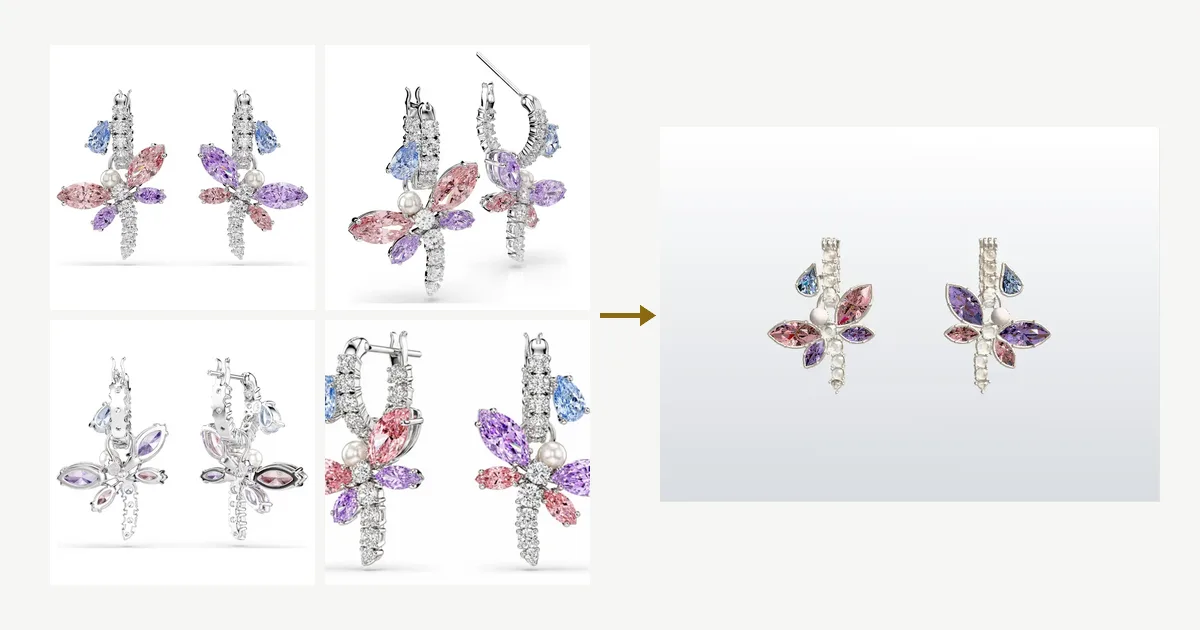
Here is a real piece. The input was four photos of a pair of dragonfly hoop earrings, with no dimensions.
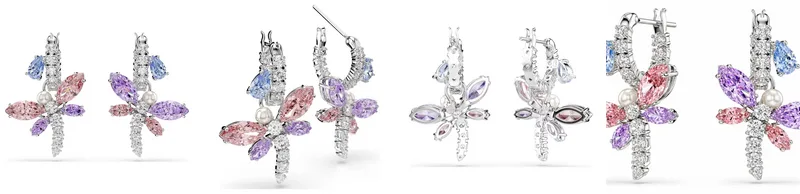
FormaNova returned the pair as a left and a right earring, each with 46 named objects: the hoop, the post and hinge, the dragonfly body, four wing stones, the body and tail stones, a blue marquise, eight hoop stones and a pearl. The wing colors follow the photos earring by earring.
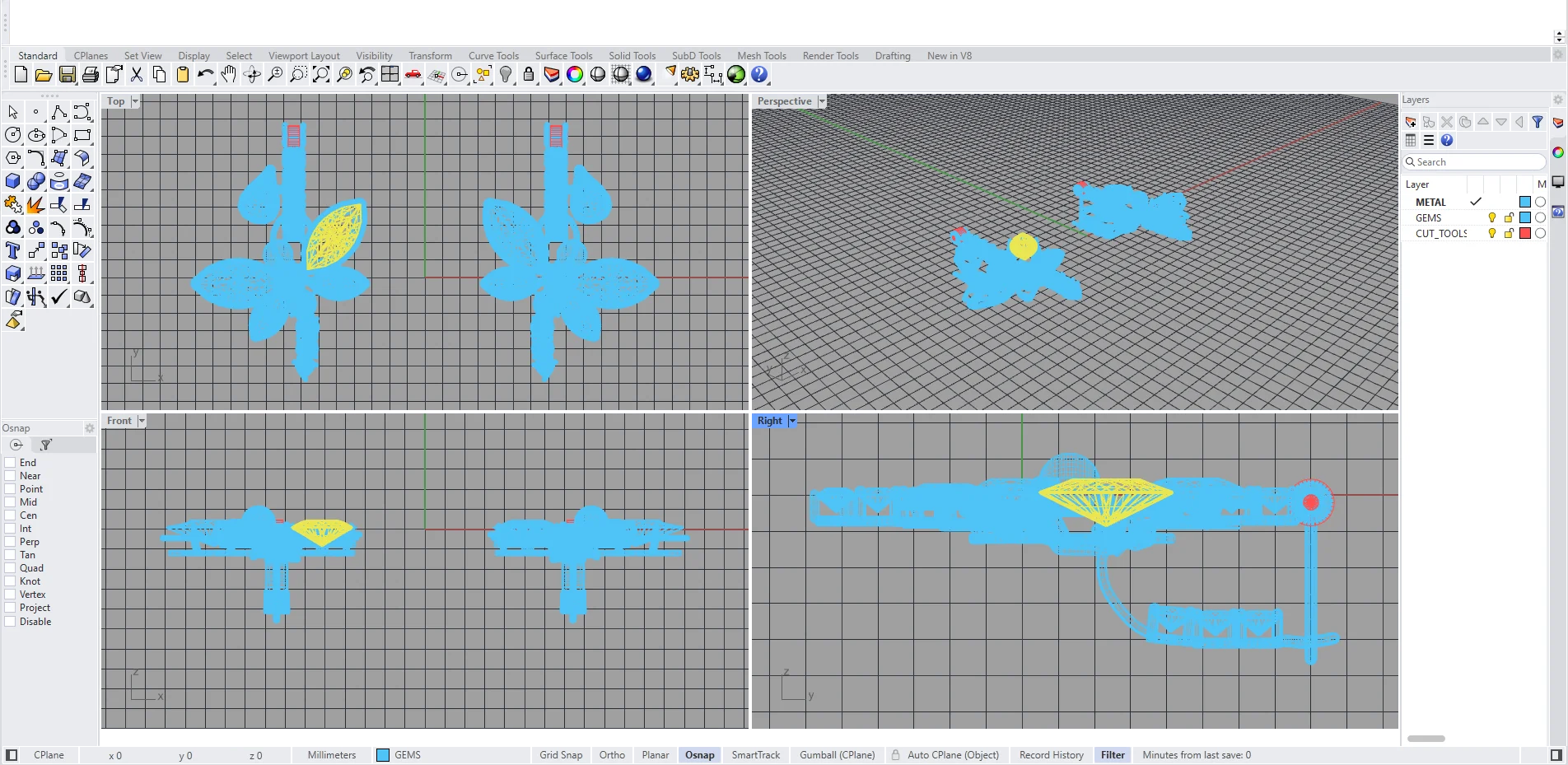
You can download this .3dm (16.8 MB) and open it in Rhino yourself. More examples, each with its inputs, a live 3D view and its Rhino file, are on the AI Jewelry CAD page.
Every piece passes a FormaNova reviewer
Before a CAD result reaches you, a member of the FormaNova team sets it beside your references and checks it. A model that significantly strays from them is made again.
When the references themselves hold the piece back, because they are blurry, low in resolution or partly hidden, the model still comes to you, with a note in the reviewer’s own words on what would bring the next one closer. A recent note read:
“For future runs, you can try uploading sharper photos from multiple angles (front, side, top and underneath) for an even closer result.”
The same goes for AI-generated references whose views disagree. The reviewer points it out, so you know why the model follows one view and not another, and what to ask the customer for next time.
Where image to CAD fits in your work
FormaNova takes the slowest part of image to CAD off your desk: getting from a picture to a complete, editable model. What it does not replace is your judgment. You still decide what the customer really wants, adjust the proportions, refine the details in Rhino, and talk to your caster.
For a CAD designer, that means starting each job from a finished NURBS model instead of an empty viewport. For a jeweler without a CAD designer in-house, it means saying yes to the photo request without sending it out.
How to tell whether FormaNova pays off for you
The honest test is a subtraction. For a typical piece, compare:
- Building it yourself: the time and cost of modeling the piece from scratch, in-house or with a freelance CAD designer
- Starting from FormaNova: the cost of the piece, plus the time and cost of checking the model we deliver and finishing it to your own standard before it goes to your caster
If the first number is meaningfully higher than the second, FormaNova is the right service for your business. If the gap is small, it is not.
One piece will not tell you. Try three or four different pieces, such as a solitaire, a pavé band, a pendant and a pair of earrings, and look at the average saving. That average is a fair picture of what FormaNova will do for your business.
Once the piece is modeled, the same CAD file can be photographed before it is ever cast with Product Shot from CAD, so the customer sees the piece, or you list it, while it is still being made.
FAQ
Can you turn a photo of jewelry into a CAD file?
Yes. A CAD designer can model it by hand in Rhino or MatrixGold, or FormaNova can build it from the photos in a single run. FormaNova returns an editable NURBS .3dm with every prong, seat and stone as a separate named part, plus a metal-only casting STL, a full STL with the stones in, STEP, a tech spec sheet and the metal weight.
Which photos give the closest CAD model?
Sharp photos of one real piece from the front, side, top and underneath. Add one known measurement, such as the ring size or a stone size in millimeters, so the model is built to scale. Blurry, low-resolution or partly hidden photos limit how closely any model can follow the piece.
Can I use AI-generated images as references for CAD?
You can, but check them first. Images from general-purpose AI image generators often show a different piece from each angle: the side view does not match the front. A CAD model has to choose one, so the result can only be as faithful as the most consistent view. Views of one consistent design work best.
Is the CAD from an image ready for casting?
FormaNova builds every model to be cast: closed NURBS solids in millimeters, with wall thickness, stone settings and casting requirements built into the modeling. Your caster gets a metal-only STL, one closed, watertight solid with every stone seat cut into the metal. Your caster will still fit it to their own process, such as sprues and shrinkage allowance, as with any CAD file.
How long does image to CAD take, and what does it cost?
Most pieces take 30 to 40 minutes. A piece costs 140 credits, and the $14 Essential pack covers one piece. There is no subscription. At busy times a piece can wait in the queue and take much longer than 40 minutes to come back. There is no need to worry: it is safe in the queue and arrives as soon as it is ready.